

Top20Find is reader-supported. When you buy through links on this page, we may earn a commission at no extra cost to you. Learn more.
Looking for coding toys for a 6 year old that are screen free? The good news is that first coding lessons work best with buttons, cards and pieces kids can hold. A robot that follows their steps makes the idea of a program click.
This guide covers coding robots and critters, logic games that build planning skills, and circuit, pattern and gear kits for hands-on tinkering. Age grades, battery needs and small-part warnings are noted for each pick, all checked in October 2026. Details can change, so confirm them at checkout.
Quick Picks
| Gift | Best for |
|---|---|
| Botley 2.0 the Coding Robot | First real robot |
| Code & Go Robot Mouse Activity Set | Maze builders |
| Coding Critters Rumble & Bumble | Dino-loving coders |
| Code & Go Mouse Mania Board Game | Coding game night |
| Laser Maze Junior | Solo logic fans |
| Circuit Explorer Rocket | Budding electricians |
| STEM Explorers Pixel Art Pro | Pattern lovers |
| Ticket to Ride: First Journey | Route planners |
| Coding Critters Go-Pets: Scrambles the Fox | A smaller coding gift |
Looking for more options? See our guide to Amazon and brand gift cards, or check the gift-giving calendar so you never miss an occasion.
Table of Contents
ToggleScreen-Free Coding Robots and Critters
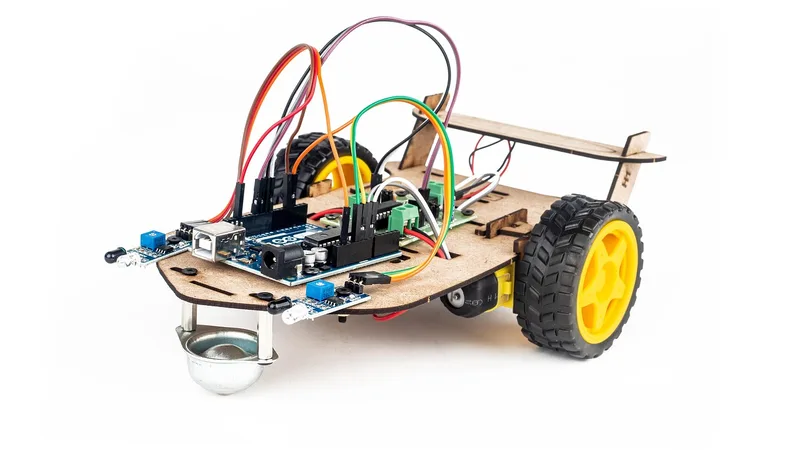
Learning Resources Botley 2.0 the Coding Robot
Why it’s a good gift: Six-year-olds punch steps into a handheld remote, press go and watch Botley carry out their plan. The 40 coding cards and detachable arms give them new challenges once the basics click.
Best for: Kids ready for a real first robot
What to check before buying: Rated 5+. Plan on five AAA batteries, three for Botley and two for the remote programmer, since none come in the box.
Learning Resources Code & Go Robot Mouse Activity Set
Why it’s a good gift: Kids lay out a maze grid, map a path with coding cards and program the mouse to reach the end. Fixing a wrong turn is a gentle lesson in debugging.
Best for: Puzzle-minded kids who like building courses
What to check before buying: Rated 4+. It runs on batteries, so check the type listed on the box, and store the many maze pieces in a bin.
Learning Resources Code & Go Robot Mouse
Why it’s a good gift: This is the programmable mouse on its own, a lower-cost way to try step-by-step coding. Kids can build their own course from books, blocks or masking tape.
Best for: Families testing the waters with coding
What to check before buying: Rated 4+ and battery powered. No maze is included, so the floor or a tabletop becomes the course.
Learning Resources Coding Critters Rumble & Bumble
Why it’s a good gift: A dinosaur-themed coding critter that comes with a storybook and play pieces, so programming moves becomes part of a story a 6-year-old can act out.
Best for: Dino fans who love pretend play
What to check before buying: Rated 4+. It needs batteries, so look up the battery type before wrapping it.
Learning Resources Coding Critters Go-Pets: Scrambles the Fox
Why it’s a good gift: Scrambles the Fox is a small coding pet at a lower price than the bigger sets. It suits a stocking, a birthday add-on or a gift for a sibling.
Best for: A smaller coding gift or add-on
What to check before buying: Rated 4+. It’s battery powered, and the box lists which type it takes.
Logic Games That Build Coding Thinking

Learning Resources Code & Go Mouse Mania Board Game
Why it’s a good gift: The robot mouse idea moves to a board game, where players plan moves in order to grab cheese. It’s coding logic at the table with the whole family.
Best for: Families who want a learning game night
What to check before buying: Rated 5+. Small pieces come with it, so keep the box up high if a toddler lives at home.

ThinkFun Laser Maze Junior
Why it’s a good gift: Kids place mirrors and targets to steer a laser beam through 40 challenges that get harder as they go. Each card has its solution, so they can check their thinking.
Best for: Solo puzzlers who like a clear goal
What to check before buying: Rated 6+. It takes two AAA batteries, which aren’t included.
Educational Insights Kanoodle Jr.
Why it’s a good gift: Fitting pieces into a puzzle board asks kids to test, adjust and try again, the same loop coders use. The junior version is sized for younger hands and minds.
Best for: Quiet thinkers who like fitting shapes
What to check before buying: Made for ages 4 to 7, so a 6-year-old sits right in range. Small parts need a home away from little siblings.
Gamewright Outfoxed!
Why it’s a good gift: Players gather clues and rule out suspects together in this cooperative whodunit. Sorting evidence step by step is good practice for the logic behind coding.
Best for: Families who prefer teamwork over winners
What to check before buying: Made for two to four players aged 5 and up. Each game wraps up in roughly 20 minutes.
Days of Wonder Ticket to Ride: First Journey
Why it’s a good gift: This kid-friendly Ticket to Ride has players plan train routes between cities, which rewards thinking a few moves ahead. Rounds are short enough for a 6-year-old.
Best for: Map lovers and planners
What to check before buying: Rated 6+ for two to four players, about 15 to 30 minutes. It comes in USA and Europe map versions, so pick one.
Circuit, Pattern and Gear Kits
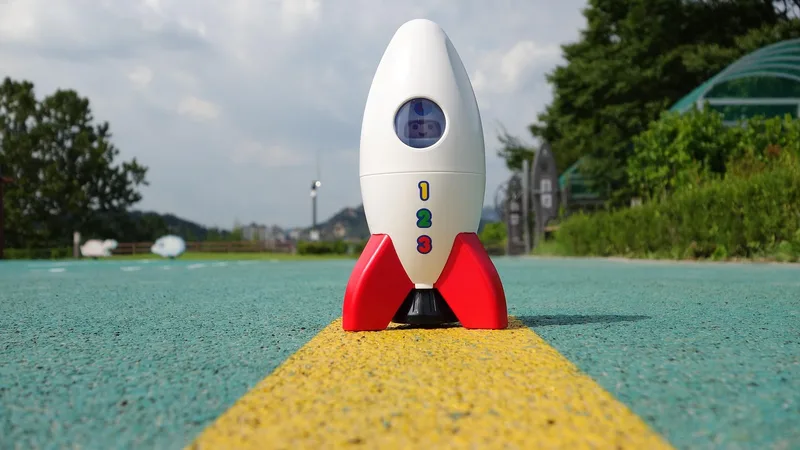
Educational Insights Circuit Explorer Rocket
Why it’s a good gift: Snap-together circuits power a light-up nose cone, a rover with headlights and a color-changing landing pad. Kids see how a closed loop makes things turn on.
Best for: Kids curious about how lights and switches work
What to check before buying: Rated 6+. It uses nine AAA batteries, not included, so stock up before the gift is opened.

Learning Resources STEM Explorers Pixel Art Pro
Why it’s a good gift: Kids follow grids to place pegs and make pixel pictures, which is a lot like reading a simple program line by line. They can also design their own.
Best for: Detail-loving kids who enjoy patterns
What to check before buying: Rated 5+. The pegs are small, so a tray keeps them from scattering.

Learning Resources STEM Explorers Marble Runners
Why it’s a good gift: Kids design a track, test it with a marble and rebuild when it doesn’t work. That build-test-fix cycle is a hands-on version of debugging.
Best for: Tinkerers who like cause and effect
What to check before buying: Rated 5+. It includes marbles, so keep it away from any child under 3 in the house.
Learning Resources Gears! Gears! Gears! Deluxe Building Set (100 pcs)
Why it’s a good gift: One hundred interlocking gears let kids build chains where turning one piece moves the rest. It’s open-ended, so the same set works for years.
Best for: Builders who like to see how things move
What to check before buying: Rated 3+. With so many pieces, a storage bin keeps cleanup quick.

Educational Insights Boxineers Cardboard Vehicles
Why it’s a good gift: A kid-safe screwdriver, hole punch, bolts and brackets turn cardboard boxes into vehicles. Planning a build in steps uses the same thinking as a coding project.
Best for: Inventors who love cardboard creations
What to check before buying: Rated 5+ with 84 pieces. You’ll need to supply the boxes yourself.
How to Choose a Screen-Free Coding Toy for a 6 Year Old
- Start with a robot they can see move. Botley and the Code & Go mouse show right away whether the plan worked.
- Add a game for the family. Mouse Mania and Ticket to Ride: First Journey practice planning without feeling like a lesson.
- Count batteries before the big day. The robots, critters, Laser Maze Junior and Circuit Explorer Rocket all need batteries.
- Think about little siblings. Marbles, pegs and maze pieces belong on a high shelf if a toddler is around.
- Pick a theme they already love. A dino critter or a rocket kit can win over a kid who isn’t sure about coding.
Frequently Asked Questions
Can a 6 year old learn coding without a screen?
Yes. Screen-free robots like Botley and the Code & Go mouse are programmed with buttons and coding cards, so kids learn sequencing hands-on.
What's the difference between the Code & Go mouse and the activity set?
The mouse on its own costs less but has no maze. The activity set adds a maze grid and coding cards for planned challenges.
Do these coding toys need batteries?
Most do. Botley takes five AAA, Laser Maze Junior takes two AAA and the Circuit Explorer Rocket takes nine AAA, none included.
Are any of these good for siblings to share?
Mouse Mania, Outfoxed! and Ticket to Ride: First Journey are made for two or more players, so they work well for siblings.
Ordering and Delivery Tips
- Order early for big dates. Shipping times vary by seller and season, so check the delivery estimate at checkout.
- Check the seller. Buy from the brand or an authorized seller, especially for baby and kitchen products.
- Keep the receipt. Gift receipts make returns and exchanges easier.
Before You Buy
- Check the age grade on each box
- Buy AAA batteries in bulk
- Clear floor space for robot courses
- Find a bin for small pieces
- Confirm prices at checkout